 MkSaaS Docs
T3 Smart Air Purifier A1
Setup and usage guide for the T3 Smart Air Purifier A1 (T3-Smart-511), a HEPA air purifier with air-quality display and app control.
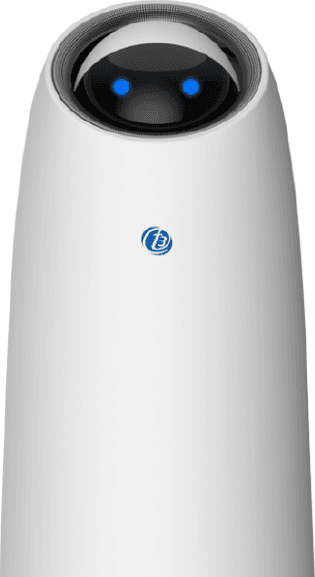
Key features:  Intelligent control ·
  Technology design ·
  Control by application ·
  HEPA filter
Smart Air Purifier
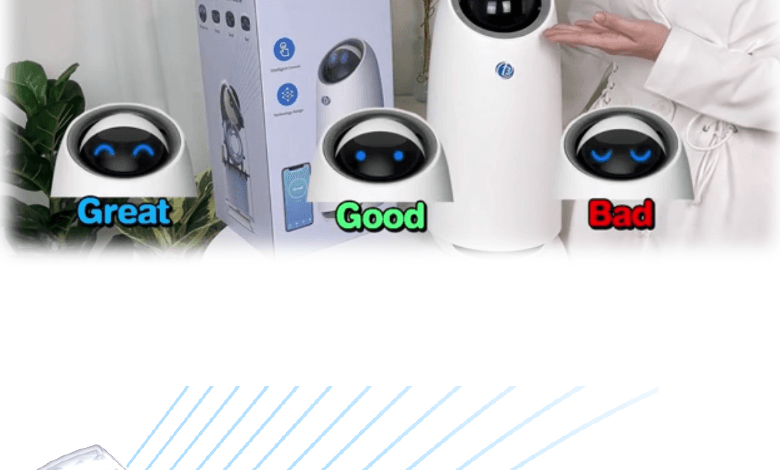
The T3 Smart Air Purifier A1 automatically detects air quality and controls the air volume. The digital display shows the air quality through a smiley face and an eye value. You can use this air purifier to decorate your home — its cute appearance and modern style will make your home more beautiful with fresh air. In addition, this product is light and small, so you can place it on a table, beside your bed or on your work desk to eliminate pollution and dust. Moreover, it is easy to control in the T3 Smart application.
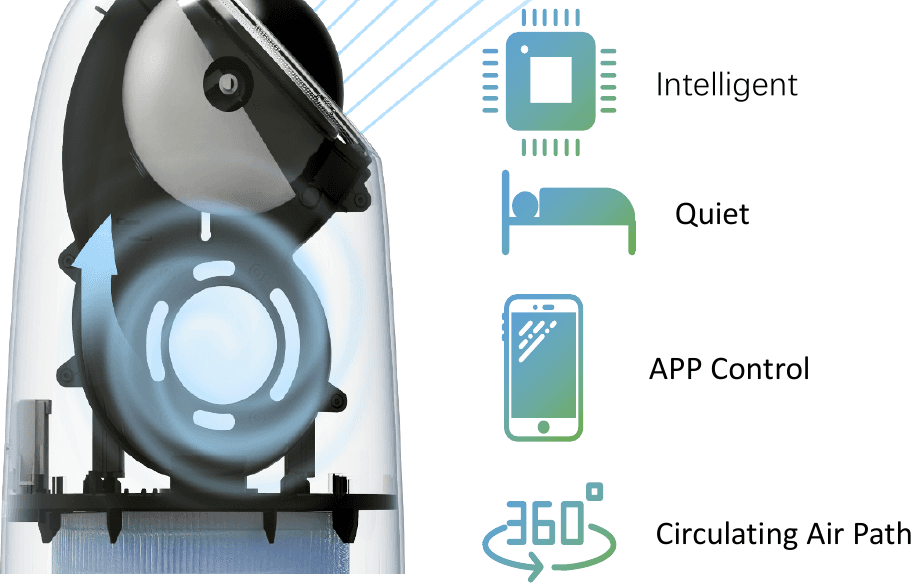
Highlights: Intelligent · Quiet · APP Control · Circulating Air Path
Easy to use

Touch the power button to turn on the device.
Touch the middle of the eyes to turn off the device.
Scroll the ball angle to adjust the fan speed.
Long-press the middle of the eyes while the eyes are flashing to connect to the T3 Smart App.
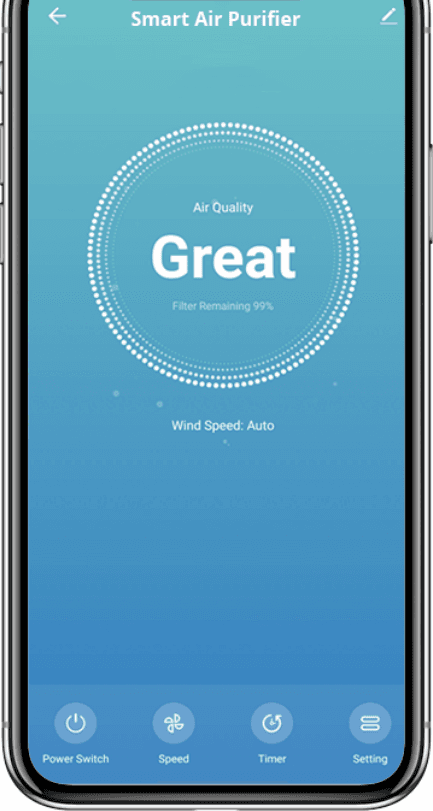
You can connect the Smart Air Purifier A1 to the T3 Smart application to control it whenever and wherever you want: on/off, speed of airflow, timer setting, and viewing the air quality on the display screen. Controlling your Smart Air Purifier A1 is right at your fingertips.
Specification
Air purifier
| Item | Specification |
|---|---|
| ABS material | Control panel bracket, spherical shell, outer shell, volute casing 1, volute casing 2, module bracket, middle bracket, inlet cover, bottom cover, panel bracket |
| PC material | Spherical shell II |
| Function | Auto / Manual mode |
| Filter material | Primary filter + activated carbon granules + HEPA |
| Filter life | 2,200 hrs |
| Product dimension | L225 × W225 × H459 mm |
| Rated input voltage | 110–130V 50/60Hz 220–240V 50/60Hz |
Input & output
| Item | Specification |
|---|---|
| Rated voltage | 110–130V 50/60Hz 220–240V 50/60Hz |
| Rated power | 26 W |
Environment condition
| Item | Specification |
|---|---|
| Working temperature | -10 ℃ to 50 ℃ |
| Storage temperature | -10 ℃ to 70 ℃ (with case) |
| Relative humidity | 5% to 100% RH |
| Transportation | IEC 721-3-2 2M2 5–9 Hz, A = 3.5 mm 9–200 Hz, acceleration = 5 m/S² 200–500 Hz, acceleration = 15 m/S² |
The plug is compatible with the electrical system of Thailand without a converter.
Power supply noise
| Item | Specification |
|---|---|
| Pulse voltage | 1500 V |
| Pulse width | 1 μs and subhedral wave of 50 ns |
| Pulse repetition period | Synchronize with power supply |
| Voltage polarity | Anode (+), Cathode (-) |
| Phase angle | 0 ~ 360° |
| Rise time | 1 ns |
Lightning test
| Item | Specification |
|---|---|
| Pulse voltage | 5 kV between power wire 10 kV between power wire and machine body |
| Voltage wave | Rising time 1.2 μs, dropping time 50 μs |
| Current wave | Rising time 8 μs, dropping time 20 μs |
| Voltage polarity | Anode (+), Cathode (-) |
| Test times | No abnormality per three times |
Instantaneous power down
| Item | Specification |
|---|---|
| Interrupt time | 0.05 s, 0.5 s, 2 MIN |
| Test times | 10 times repeatedly |
Transient voltage fluctuation
| Item | Specification |
|---|---|
| Fluctuation time | 0.2 s, 50% of rated voltage within 2 s |
| Test times | 10 times repeatedly |
Static endurance
| Item | Specification |
|---|---|
| Discharge test | Normal |
| Test voltage | 15000 V |
| Power cut capacitance volume | 150 pF |
| Discharge resistance | 33 Ω |
| Rising time | 0.7 ~ 1 nS |
| Voltage polarity | Anode (+), Cathode (-) |
| Ambient temperature | 25 ± 5 ℃ |
| Humidity | Under 30% RH |
| Test times | 3 times |
Structural parameters
| Item | Specification |
|---|---|
| Clean air volume | CADR ≥ 100 m³/H |
| Coverage area | < 11 m² |
| Machine life | 3–5 years |
| Noise | High mode: 50 ± 3 dB Mid mode: 45 ± 3 dB Low mode: 30 ± 3 dB |
| Motor speed | High grade: 1700 rpm ± 10% Mid grade: 1050 rpm ± 10% Low grade: 850 rpm ± 10% |
Package content
Air Purifier A1 ×1, HEPA Filter ×1, Adapter ×1, User Manual ×1.
How to connect the purifier to the app
Download the T3 Smart App
Use your smartphone to scan the QR code, or search T3 Smart in Google Play Store or the App Store to download and install it. The application supports Android and iOS.
Create an account
Create an account with your mobile number and authentication code.
Add the device
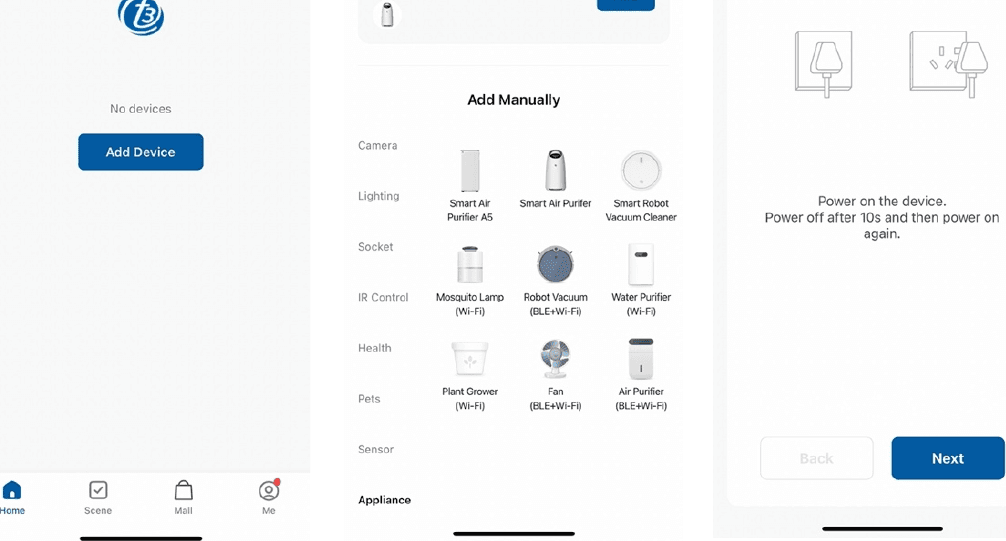
Open the T3 Smart app, tap + or Add Device on the main screen, then tap Appliance and choose Smart Air Purifier. The app offers manual addition and automatic discovery:
- Automatic discovery: when the corresponding permission is turned on, the device can be discovered automatically. The device needs to be in the network configuration state and turned on.
- Manually add: select the name corresponding to the product.
Bluetooth configuration
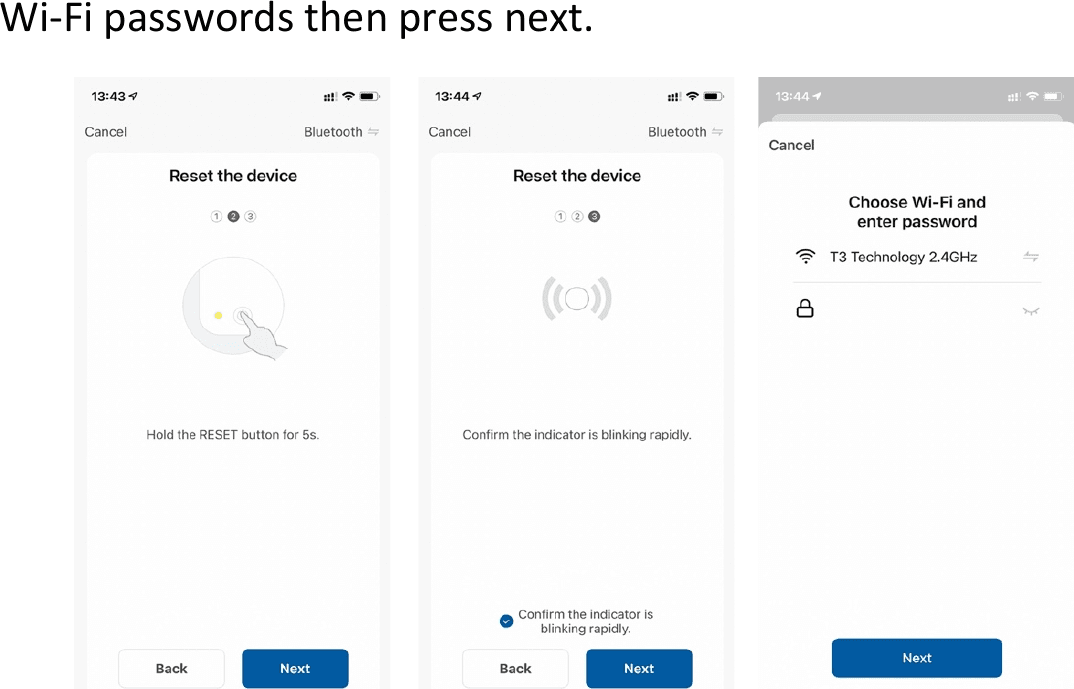
Press between the digital display of the air purifier to open Wi-Fi. When the Wi-Fi indicator of the device is flashing quickly, follow the instructions in the application. Make sure you choose a 2.4 GHz Wi-Fi network and enter the correct Wi-Fi password, then tap next.
Finish
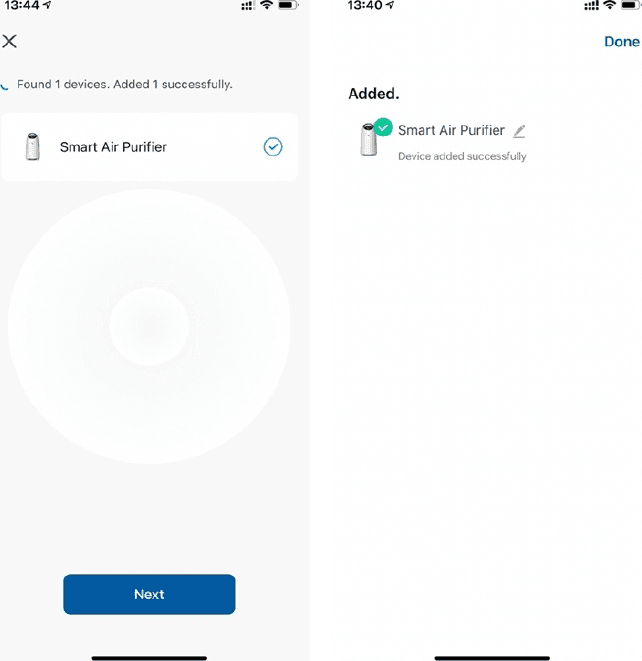
Once the configuration is complete, the display light on the air purifier stops flashing and the device is added to the device list.
How to use the app
Now you can control the Smart Air Purifier A1 through the T3 Smart app. The Smart Air Purifier A1 appears in the Device List. Tap the Smart Air Purifier icon to control it in the app.
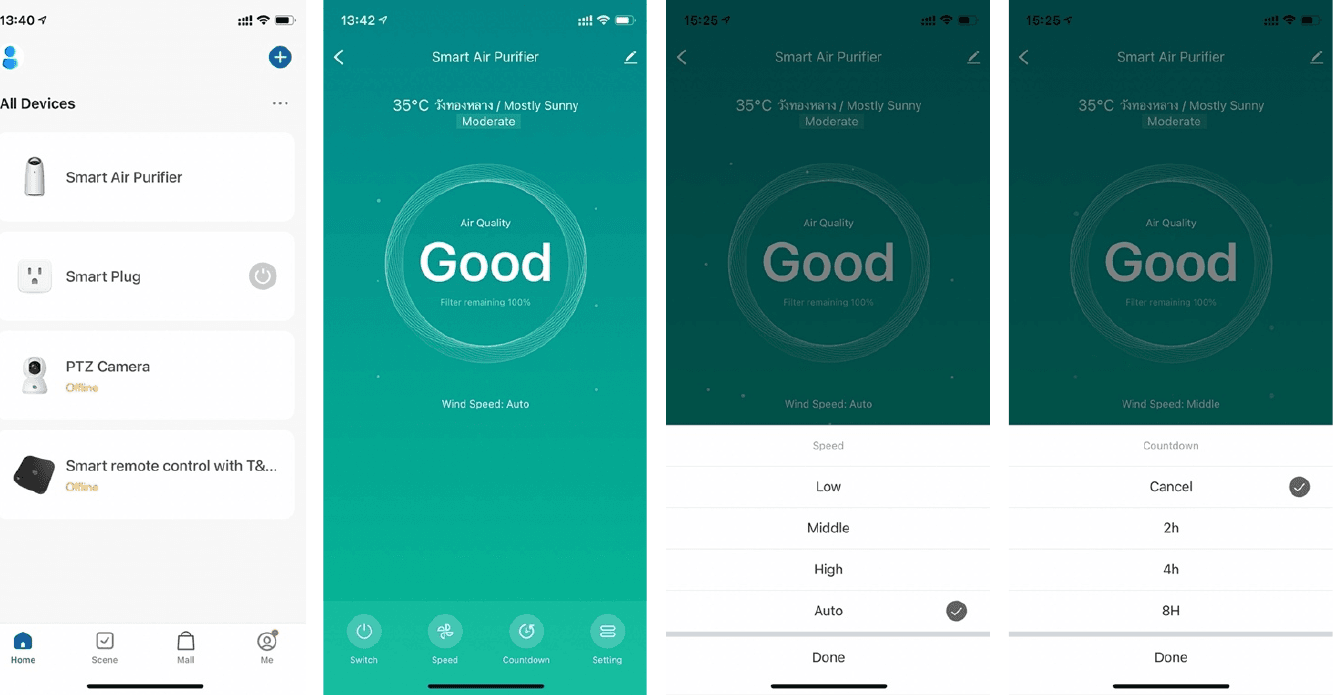
You can switch it on/off, adjust the speed, set a countdown time and configure the Smart Air Purifier. If you want to make a schedule, you can find this function in the settings.